Affiliate links. House of Icon earns a commission if you buy through them, at no extra cost to you. Full disclosure ↓
I shoot most of our brand content alone. No crew, no second set of hands, frequently in a client's back office with terrible overhead lighting and forty minutes to get everything.
So my content creator equipment list is not the one you see on YouTube, where somebody spreads eleven thousand dollars of cinema gear across a concrete floor. Mine is short, it fits in a tote bag, and every item earned its place by surviving a shoot where something went wrong.
Here is what I actually reach for, what each thing is genuinely good at, and, more usefully, who should skip it.
The short version
| What it is | Best for | Skip it if |
|---|---|---|
| DJI Osmo Pocket 3 + mic | Filming yourself, hands free, in bad light | You never appear on camera |
| DJI Mic Mini (2-pack) | Interviews, two people, noisy rooms | You only ever film solo and already have one mic |
| Phone rig & vlogging kit | Holding phone, mic, and light as one unit | You film seated, static, at a desk |
| Magnetic LED fill light | Fill light that clips straight onto the Pocket 3 | You shoot outdoors in daylight only |
| Clip-on RGB selfie light | Video calls, Stories, and anything at a desk | You have a window and shoot during the day |
| Face-tracking selfie stick | Filming solo while you move around a room | You always have someone behind the camera |
1. The DJI Osmo Pocket 3 (with the mic bundle)
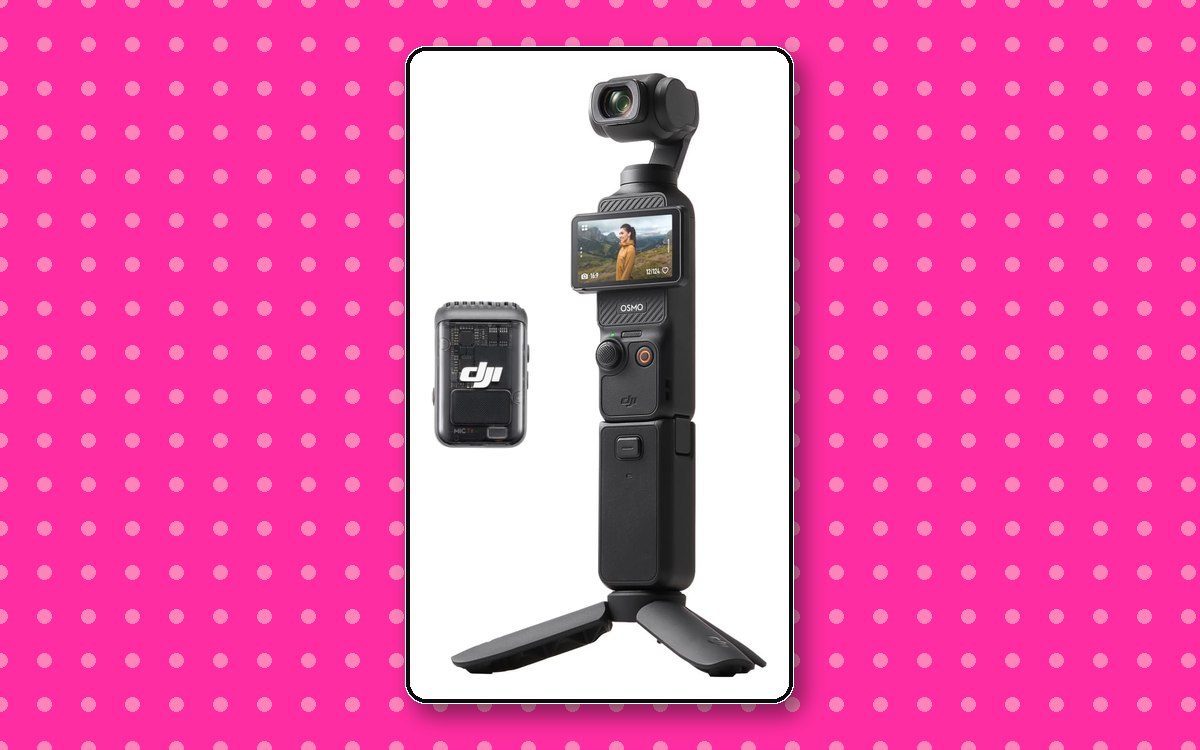
DJI Osmo Pocket 3 & Mic Bundle
The one I would repurchase tomorrow
I am obsessed with this thing. The picture is crisp, it is genuinely tiny, and it does the one trick that changed how I shoot alone: the screen rotates, so I can see myself while filming. That sounds small. It is not. Every solo creator has filmed forty minutes of their own forehead at least once.
It lives in my bag permanently. It comes out at client shoots for behind-the-scenes footage, on my kitchen counter for talking-head clips, and on a table at dinner when something worth filming happens and a phone would feel intrusive.
The stabilization is the real headline. I can walk through a space narrating and the footage looks deliberate rather than handheld. That single capability replaced the entire category of gear I used to carry.
The reason I recommend the bundle with the mic rather than the body alone: audio is the thing viewers actually notice. Grainy footage reads as a stylistic choice. Bad audio reads as amateur, and people leave.
Why I love it
- Fits in a coat pocket, so it is always there
- Rotating screen means you can frame yourself
- Stabilization that makes walking shots usable
- Handles dim rooms better than my phone
Worth knowing
- It is another device to charge and remember
- Small sensor means it is not a full cinema camera
- You will still want a light in a truly dark room
2. DJI Mic Mini, the two-pack
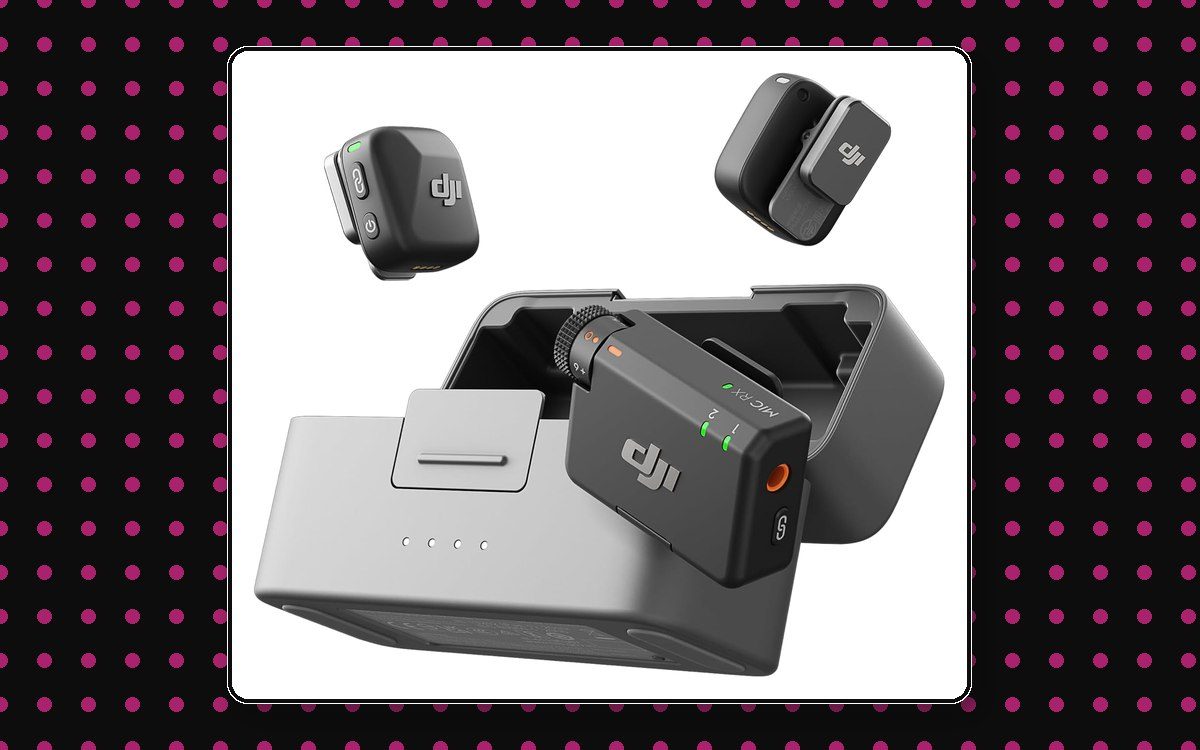
DJI Mic Mini (2 transmitters)
The upgrade nobody sees and everybody hears
If you buy one thing on this list, buy a wireless mic. Not a camera. A mic.
Here is the uncomfortable truth about content: people forgive imperfect visuals constantly. Vertical video, harsh light, a slightly wonky crop, all fine. Nobody forgives audio they have to strain to hear. They swipe.
I keep the two-pack because half of what I film involves a second person. Client interviews, a founder walking me through their space, a quick two-hander for social. One transmitter on me, one on them, and suddenly a conversation in a noisy café is usable.
They are small enough that people forget they are wearing one, which is exactly what you want. Nobody performs naturally with a boom in their face.
Why I love it
- Two people covered without a second purchase
- Clips on and disappears under a collar
- Cuts room noise dramatically versus a phone mic
- Charges in its case, so it is ready when you are
Worth knowing
- Overkill if you truly only ever film alone
- One more thing to remember to switch on
- Wind still needs the little furry cover outdoors
3. The phone rig that holds everything at once
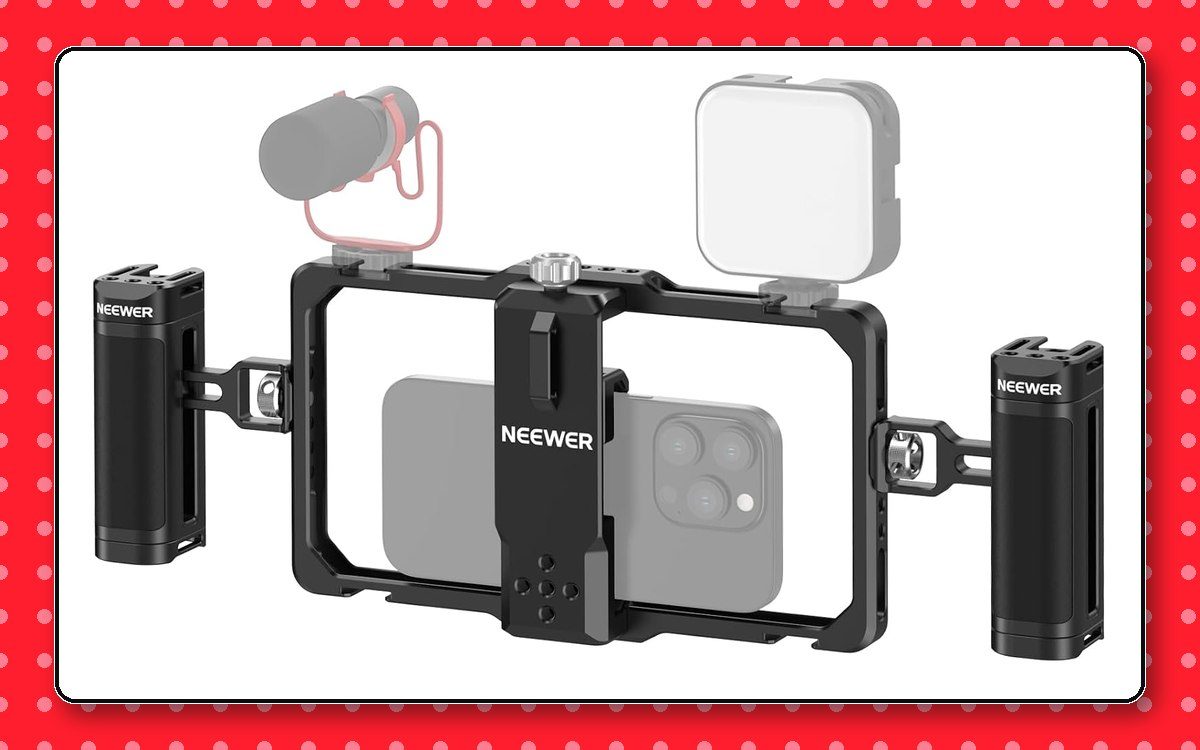
Phone Rig & Vlogging Kit
One frame, two handles, everything mounted
This is not a gimbal, and I want to be clear about that because the two get confused constantly. There are no motors in here. It is a cage that clamps around your phone with a handle on each side and mounting points on top.
What it solves is the octopus problem. Before this, filming a walk-and-talk meant a phone in one hand, a light balanced somewhere, and a mic receiver in a pocket with a cable running down my sleeve. The rig turns four loose objects into one object. Mic on one cold shoe, light on the other, phone in the middle, a hand on each side.
Two hands also steadies footage more than people expect. It is not motorized stabilization and it will not erase your footsteps, but a wide two-handed grip removes most of the small wobble that makes handheld video look accidental.
The bottom has a standard tripod thread, so the entire assembled kit drops onto a tripod without dismantling anything. And because nothing in it is powered, there is no battery to charge and nothing to balance before you start. You pick it up and film.
Why I love it
- Mic and light mount directly to the frame
- Two-handed grip steadies handheld shots
- Nothing to charge, nothing to balance
- Tripod-mounts fully assembled
- Works in portrait or landscape
Worth knowing
- Not a gimbal, so no motorized smoothing
- Bulkier in a bag than the phone alone
- Overkill if you film seated at a desk
- Check your phone fits with its case on
4. The magnetic fill light that clips to the camera
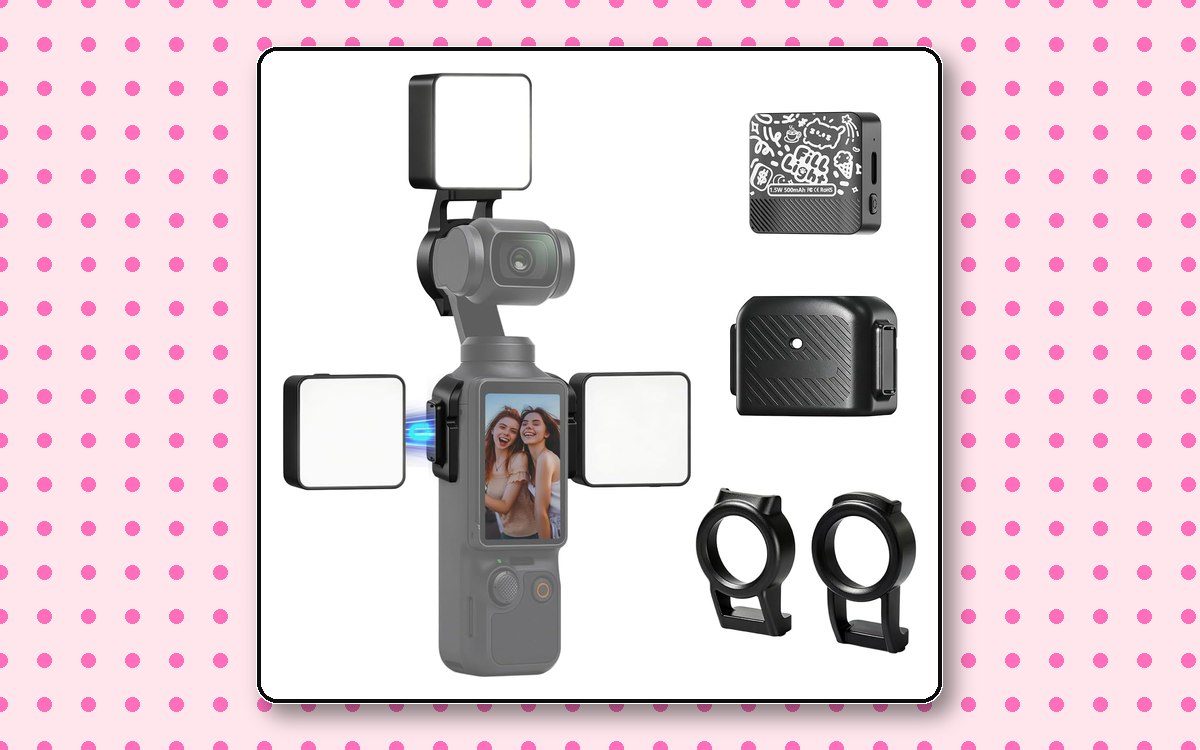
Magnetic LED Fill Light for Osmo Pocket 3
Light that travels attached to the camera
This is a small rechargeable panel that magnetically clamps onto the Osmo Pocket 3 itself. No stand, no clamp, no second thing to position. It goes on the camera and stays there.
That matters more than it sounds. The reason most creators own a light they never use is that setting one up is a separate task, and separate tasks do not happen when you are filming something spontaneous in a hallway. A light attached to the camera gets used because using it costs nothing.
You can mount it on top or clip it to either side, and the side positions are the ones worth learning. Light coming from slightly off to one side gives a face shape. Light straight on from the top flattens everything, which is exactly the criticism I level at ring lights further down, and it applies here too if you are lazy about placement.
Mine lives clipped to the Pocket 3 in my bag. It has rescued footage in parking garages, restaurant back rooms, and one memorable client basement.
Why I love it
- Magnetically mounts to the Pocket 3, no stand
- Side mounting gives you off-axis light
- Rechargeable, so no batteries to buy
- Small enough to leave attached in the bag
Worth knowing
- Small battery, so it is a fill light, not a key light
- Mounted on top it flattens faces, so use the sides
- Will not light a whole room, only your subject
- Made for the Pocket 3, so check fit for other cameras
5. The clip-on RGB light for calls and Stories
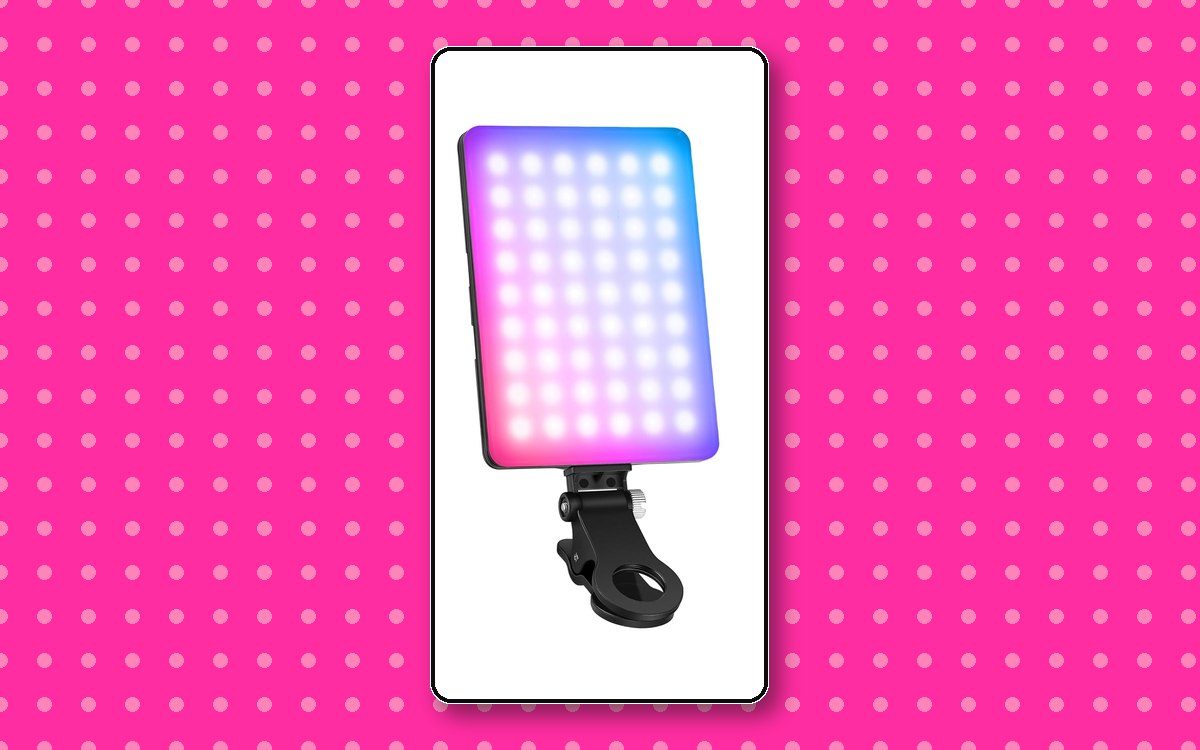
Clip-On RGB Selfie Light
The one that lives on the laptop
This is the least glamorous item here and the one that gets used most often, because it clips onto whatever screen I happen to be looking at. Phone for Stories, laptop for client calls, monitor for anything recorded at my desk.
It is full RGB and controlled from an app on your phone, which sounds like a gimmick and mostly is. Ninety percent of the time I use it on plain white, dimmed to about half. The color modes earn their keep occasionally, when I want a pink wash behind me that matches the brand rather than a beige wall.
What genuinely matters is the adjustable white balance. Being able to match the warmth of the room you are sitting in is the difference between looking lit and looking like you are being interrogated. Most cheap clip lights give you one temperature and it is always slightly wrong.
It clamps to a laptop lid without marking it, recharges over USB, and is the single easiest way to stop looking exhausted on a five o'clock call.
Why I love it
- Clips to a phone, laptop, or monitor
- Adjustable white balance to match the room
- App control, so you are not fumbling with buttons
- Rechargeable and genuinely pocketable
- RGB for an on-brand color wash when you want it
Worth knowing
- Front-on light flattens features, so angle it slightly
- Not strong enough to carry a real shoot
- The app is one more app on your phone
- Easy to leave the color mode on by accident
6. The selfie stick that follows you around the room
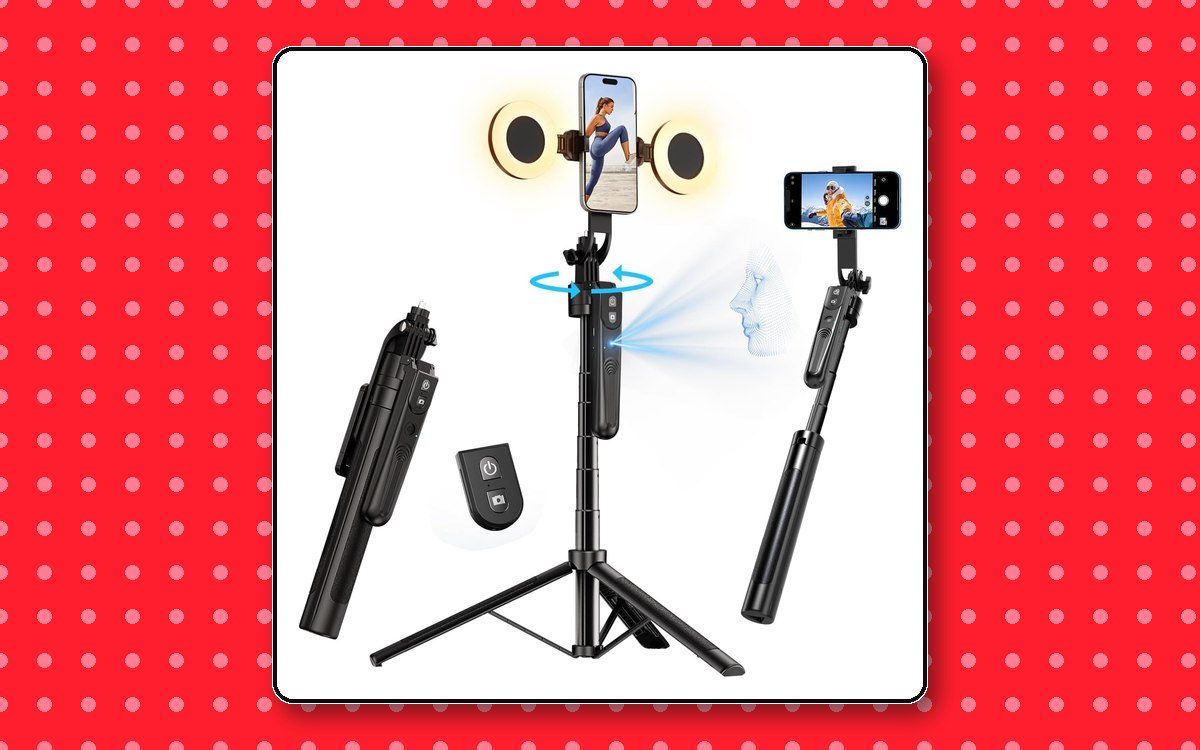
Face-Tracking Selfie Stick
A camera operator that works for free
This one genuinely surprised me. It is a selfie stick that folds out into a tripod, and the head rotates to keep your face in frame while you move.
Which sounds like a novelty until the first time you film a demo. I can set it down, step back, walk to the other side of a table to point at something, and the camera turns and follows me instead of filming the wall I just left. Every solo creator has re-shot a take because they drifted out of frame. This mostly ends that.
It is also the only thing on this list that solves the problem of not having a second person. A tripod holds your camera still. This one pays attention.
Practical notes from actually using it: give it good light, because tracking works off what the camera can see and it gets less reliable in a dim room. Move at a normal pace rather than darting. And frame slightly wider than feels necessary, so a moment of lag does not crop your head.
Why I love it
- Follows you, so you can move while filming
- Folds from selfie stick to tripod
- Removes the need for someone to hold the camera
- Remote lets you start and stop from across the room
Worth knowing
- Tracking needs decent light to stay locked on
- Fast movement can outrun it, so frame wide
- One more thing to charge
- Not a substitute for a real gimbal while walking
Buy them in this order
The mistake I watch people make constantly is buying the camera first. Here is the sequence that actually improves your content fastest, from someone who bought it all in the wrong order and paid for the privilege.
- A wireless micBiggest quality jump per dollar. Bad audio loses viewers in under three seconds.
- One lightStart with the clip-on, since it works on every screen you own. Add the magnetic fill light once you are filming away from your desk.
- Something to hold the cameraA rig or even a cheap tripod. Being able to mount everything together and step back changes what you can film.
- A dedicated cameraOnly once you are posting consistently. Your phone is better than you think it is.
None of this makes your content good. I have watched founders spend two thousand dollars on equipment and post nothing for six months, because buying gear feels like progress and filming feels like exposure.
The best creator setup is the one you will actually pick up on a Tuesday when you do not feel like it. If a piece of gear adds a step, you will use it less. That is the whole reason my list is six items and not fifteen.
What I deliberately do not own
A ring light as my only light. They flatten faces and leave a distracting circle in your eyes. Fine as fill, poor as your entire lighting plan.
A full mirrorless kit. I have used them, they are excellent, and the extra quality does not survive being compressed for a vertical feed. The gap between a good compact camera and a full camera is far smaller on a phone screen than it is on a monitor.
Six microphones. Two transmitters covers every situation I actually encounter. The rest is shopping disguised as preparation.
Frequently asked questions
What equipment do I actually need to start creating content?
A phone and decent audio. Sound is the thing people notice when it is bad, so a wireless mic is the first purchase worth making. Lighting comes second, a camera upgrade third. Most beginner creator kits sell you that order backwards.
Is a compact camera better than a phone for content?
Not automatically. A modern phone shoots excellent video. A compact camera wins on stabilization, low light, and the ability to film yourself while your phone stays free for your script, your notes, or an incoming call.
What is the difference between a phone rig and a gimbal?
A gimbal is motorized. It actively smooths your movement using powered motors, and it needs charging and balancing. A rig is a cage with handles and mounting points. It has no motors, so it will not erase your footsteps, but it holds your phone, mic, and light together as one unit, never needs charging, and mounts to a tripod fully assembled. For most solo creators the rig solves the bigger daily problem.
How much should a beginner spend on content creator equipment?
Start with a wireless mic and one light. Add a camera or gimbal only once you are posting consistently. Buying the full kit before you have a posting habit is the most common way creators waste money.
What is the most overrated piece of creator gear?
Ring lights used as the only light source. They flatten your face and put a distracting circle in your eyes. A small directional light placed off to one side looks far more professional for the same money.
Gear is the easy part. The hard part is having something worth pointing it at, which is a branding problem rather than a shopping problem. If your content looks fine and still is not landing, the issue is probably that your brand is playing it safe, not that your camera is not good enough.
Now go film something.
Brea
Free · 15-minute brand audit
The Icon Factor™
See how your brand scores across 5 pillars, and exactly what’s keeping you from standing out.
Grab Your Free Audit →Keep going
- Want the brand behind the content? Meet the agency.
- Building it yourself in 30 days? Brand Camp.
- See the daily chaos on Instagram.